
翻转视图
翻转视图 (FlipView)
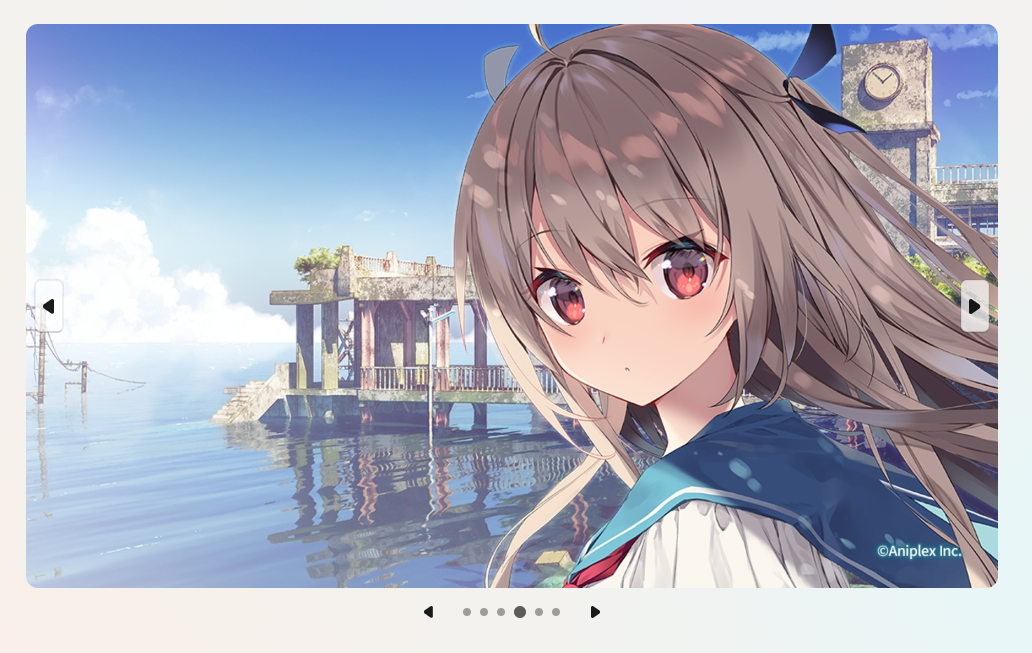
通过
DecodeToHeight属性缩放到指定高度, 只能缩放一项, 建议缩放, 不然图片像素过高, 图片太多就会导致内存占用变高切换页面无需释放图片, 内部会自动处理图片释放
可通过
Orientation属性设置轮播方向, 默认水平轮播, 可选值为FlipOrientation.Horizontal和FlipOrientation.VerticalAutoPlay只有在加载到了视觉树后才会生效, 脱离视觉树自动停止自动播放, 如果脱离时是AutoPlay,再次挂载到视觉树会恢复播放
xml
<ui:FlipView
    Name="FlipView"
    Width="648"
    Height="400"/>
csharp
 FlipView.ImageSource = new[]
{
    "avares://Test/Assets/1.jpg",
    "avares://Test/Assets/2.jpg",
    "avares://Test/Assets/3.jpg",
    "avares://Test/Assets/4.jpg",
    "avares://Test/Assets/6.jpg",
    "avares://Test/Assets/7.jpg",
};

// 缩放到指定高度, 只能缩放一项
// FlipView.DecodeToWidth = 400;
FlipView.DecodeToHeight = 1024;
// 轮播方向
FlipView.Orientation = FlipOrientation.Vertical;
// 设置自动播放
FlipView.IsAutoPlay = true;
// 播放间隔
FlipView.Duration = TimeSpan.FromMilliseconds(1000);
// 图像插值模式
FlipView.ImageInterpolationMode = BitmapInterpolationMode.HighQuality;
翻转视图图片代理 (IImageLabelDelegate)
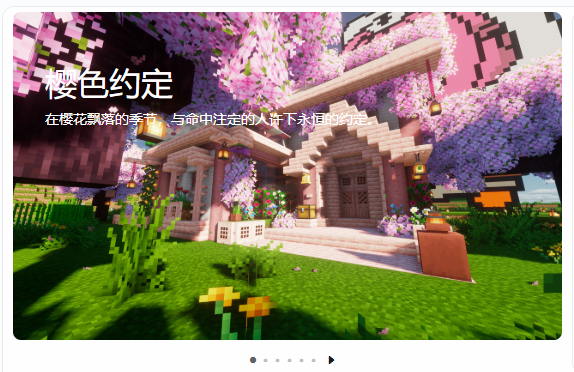
- 继承
IImageLabelDelegate实现Render方法
csharp
public class FlipViewImageDelegate(string text, string? content = null, IBrush? foreground = null) : IImageLabelDelegate
{
    private readonly string _text = text;
    private readonly string? _content = content;
    private readonly IBrush _foreground = foreground ?? Brushes.White;

    public void Render(DrawingContext context, Rect rect, CornerRadius radius)
    {
        var tl = new TextLayout(
            _text,
            Typeface.Default,
            32,
            _foreground
        );

        var x = 32;
        var y = 48;

        if (_content != null)
        {
            var cl = new TextLayout(
                _content,
                Typeface.Default,
                14,
                _foreground
            );
            cl.Draw(context, new Point(x, y + tl.Height + 6));
        }

        tl.Draw(context, new Point(x, y));
    }
}

FlipView.SetImageDelegates(
    new IImageLabelDelegate[]
    {
        new FlipViewImageDelegate("樱色约定", "在樱花飘落的季节,与命中注定的人许下永恒的约定。"),
        new FlipViewImageDelegate("星之瞳", "凝望遥远星空,寻找隐藏在宇宙深处的未知奇迹。"),
        new FlipViewImageDelegate("月下幻想", "银色月光洒落之时,来自异世界的篇章悄然展开。"),
        new FlipViewImageDelegate("时空旅人", "穿越漫长岁月,寻找被遗忘的故事与失落的记忆。"),
        new FlipViewImageDelegate("星海彼岸", "追逐群星的轨迹,向着未知的远方踏上冒险之旅。"),
        new FlipViewImageDelegate("梦境回廊", "穿越现实与幻想的边界,开启一场只属于你的梦幻旅程。"),
    };
);