
消息条
消息条 (InfoBar)
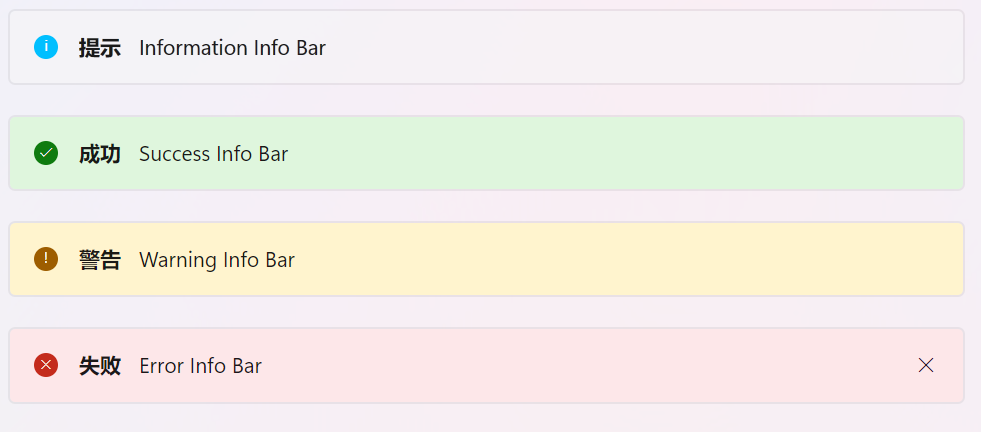
xml
<StackPanel
    Width="648"
    Orientation="Vertical"
    Spacing="10">
    <ui:InfoBar
    Title="提示"
    Margin="0,10,10,0"
    IsClosable="False"
    IsOpen="True"
    Message="Information Info Bar"
    Severity="Informational"/>
    <ui:InfoBar
    Title="成功"
    Margin="0,10,10,0"
    IsClosable="False"
    IsOpen="True"
    Message="Success Info Bar"
    Severity="Success"/>
    <ui:InfoBar
    Title="警告"
    Margin="0,10,10,0"
    IsClosable="False"
    IsOpen="True"
    Message="Warning Info Bar"
    Severity="Warning"/>
    <ui:InfoBar
    Title="失败"
    Margin="0,10,10,0"
    IsClosable="True"
    IsOpen="True"
    Message="Error Info Bar"
    Severity="Error"/>
</StackPanel>
可以弹出消息条 (PopupInfoBar)
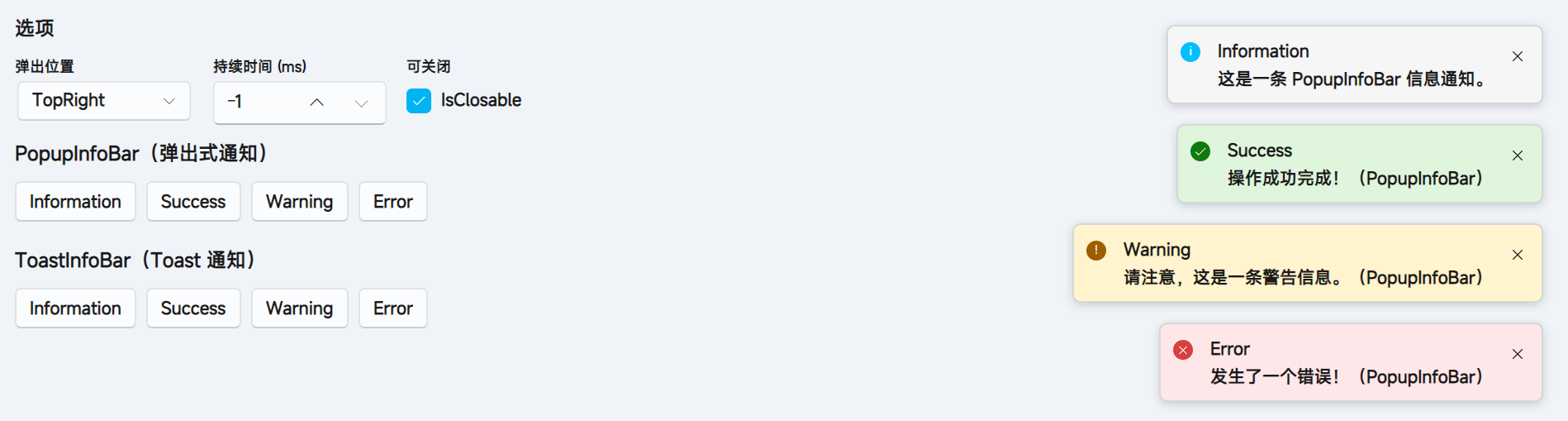
- 在
FluentWindow使用弹出信息条
csharp
// 注册Manager
private PopupInfoBarManager PopupBarManager { get; } = InfoBarHost.GetManager<PopupInfoBarManager>();
private ToastInfoBarManager ToastBarManager { get; } = InfoBarHost.GetManager<ToastInfoBarManager>();

public MainWindow()
{
    InitializeComponent();
    // 注册 manager 到 InfoBarHost
    InfoBarHost.RegisterManager<PopupInfoBarManager>();
    InfoBarHost.RegisterManager<ToastInfoBarManager>();
}
使用方法 示例
- 直接使用
PopupInfoBarManagerToastInfoBarManager或通过InfoBarHost获取InfoBarHost.GetManager<T>()
弹出信息条有六种格式,分别是
InformationSuccessWarningErrorCustomNewNew可完全自定义弹出信息条的样式信息条的
Content可放置任意内容
弹出位置有
TopTopLeftTopRightBottomBottomLeftBottomRight- 弹出位置是基于
InfoBarHost的
csharp
// Information
PopupManager.Information(
  "Information",                      // 标题
  "这是一条 PopupInfoBar 信息通知。",   // 内容
  PopupInfoBarPosition.TopRight,     // 弹出位置
  true,                              // 是否可关闭
  -1                                 // 持续时间, -1则永不关闭
);

// Success, Warning, Error 同样的使用方法

// Custom
PopupManager.Custom(
  "Custom Title",
  "Custom Content",
  PopupInfoBarPosition.TopLeft,
  true,
  -1,
  Brushes.DeepPink, // 背景色
  Brushes.White     // 前景色
);


// New
PopupManager.New(
  // 参数是 PopupInfoBar, 可以自定义宽度,高度等
)
WARNING
弹出信息条需和 InfoBarHost 一起使用, 在普通 Window 使用示例
xml
<Window
  mc:Ignorable="d"
  x:Class="InfoBarTest.Views.MainWindow"
  x:DataType="vm:MainWindowViewModel"
  xmlns="https://github.com/avaloniaui"
  xmlns:d="http://schemas.microsoft.com/expression/blend/2008"
  xmlns:mc="http://schemas.openxmlformats.org/markup-compatibility/2006"
  xmlns:vm="using:InfoBarTest.ViewModels"
  xmlns:x="http://schemas.microsoft.com/winfx/2006/xaml">

  <Design.DataContext>
    <vm:MainWindowViewModel />
  </Design.DataContext>

  <Panel>
    其他内容

    <!--  用于放置 PopupInfoBar 和 ToastInfoBar 的 InfoBarHost  -->
    <ui:InfoBarHost x:Name="InfoBarHost" />
  </Panel>
</Window>
csharp
// 注册Manager
InfoBarHost.RegisterManager<PopupInfoBarManager>();

// 使用
InfoBarHost.GetManager<PopupInfoBarManager>().Information(
  ...
);
Toast信息条 (ToastInfoBar)
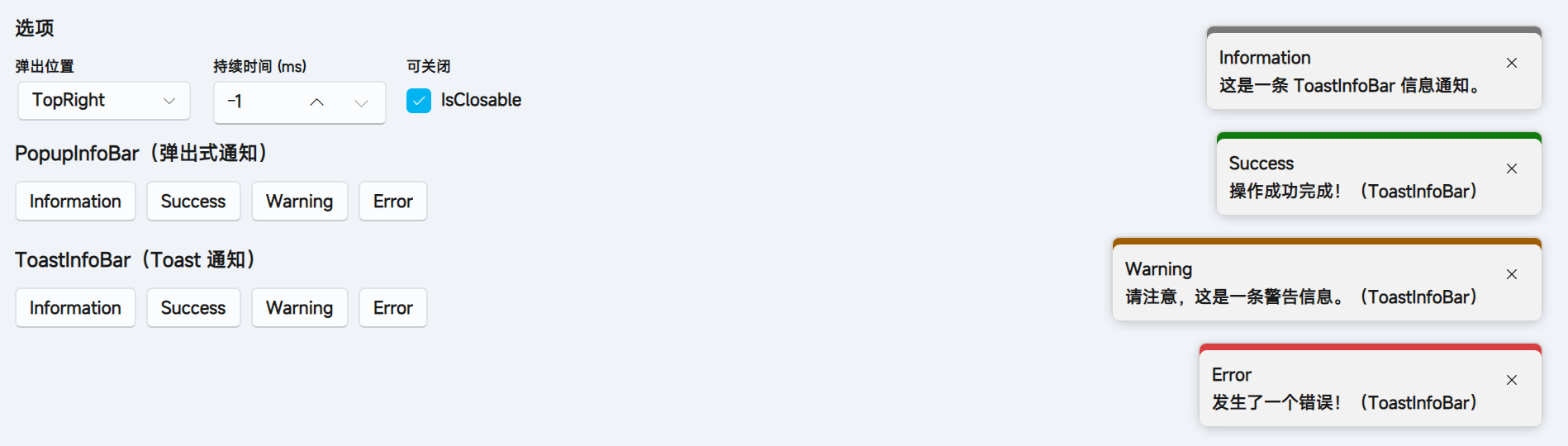
- 和
PopupInfoBar同样的使用方式